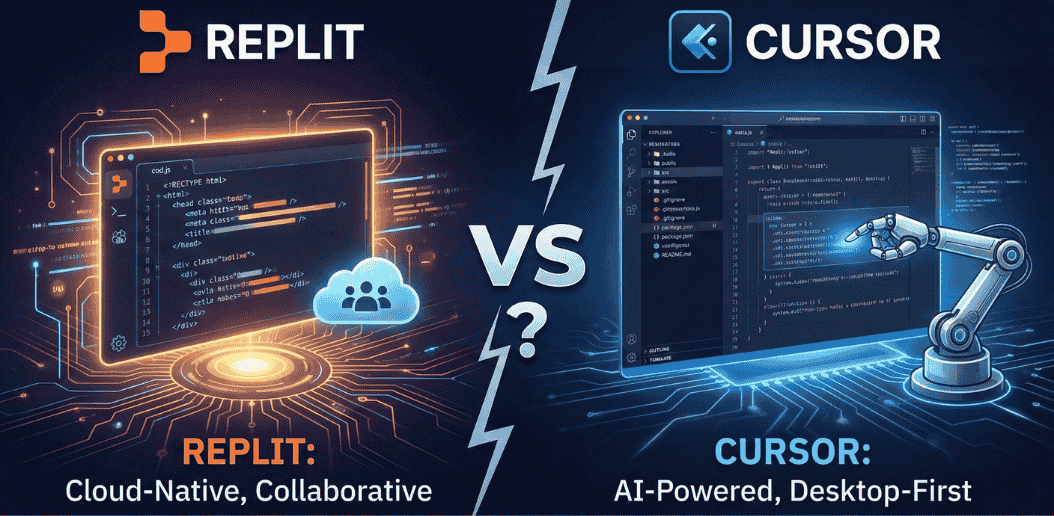
Choosing the right AI coding assistant can dramatically impact your development speed and workflow efficiency. In 2026, two platforms dominate the conversation: Replit and Cursor. Both promise to transform how you write code, but they take fundamentally different approaches to AI-assisted development.
This comprehensive guide explores everything you need to know about replit ai vs cursor ai, comparing their features, pricing, performance, and ideal use cases to help you make an informed decision.
Understanding Replit vs Cursor: The Core Difference
Before diving into detailed comparisons, understanding what makes these platforms unique is essential.
What is Replit?
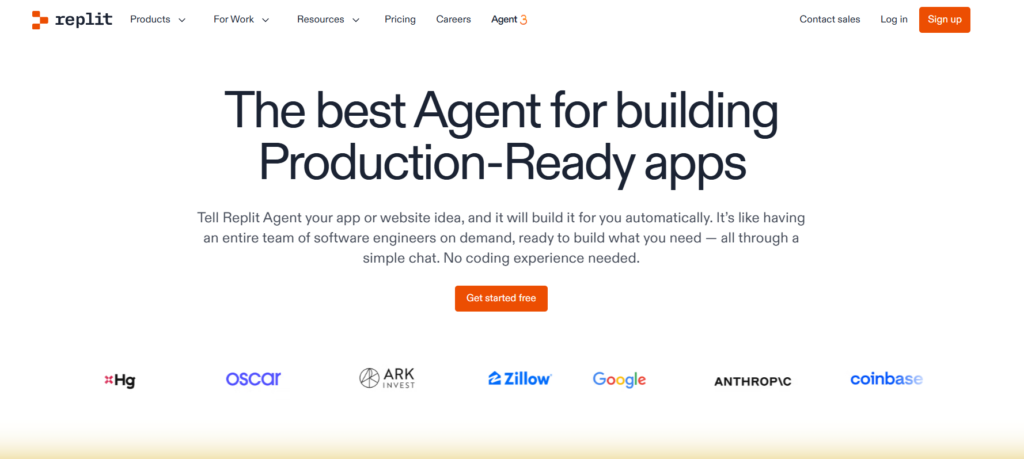
Replit is a cloud-based integrated development environment that combines coding, deployment, and collaboration in a single browser-based workspace. The platform eliminates setup friction entirely, allowing developers to start coding immediately with no installation required. Powered by Replit Agent, this tool can generate complete applications from natural language descriptions, making software development accessible to both experienced programmers and coding beginners.
What is Cursor?
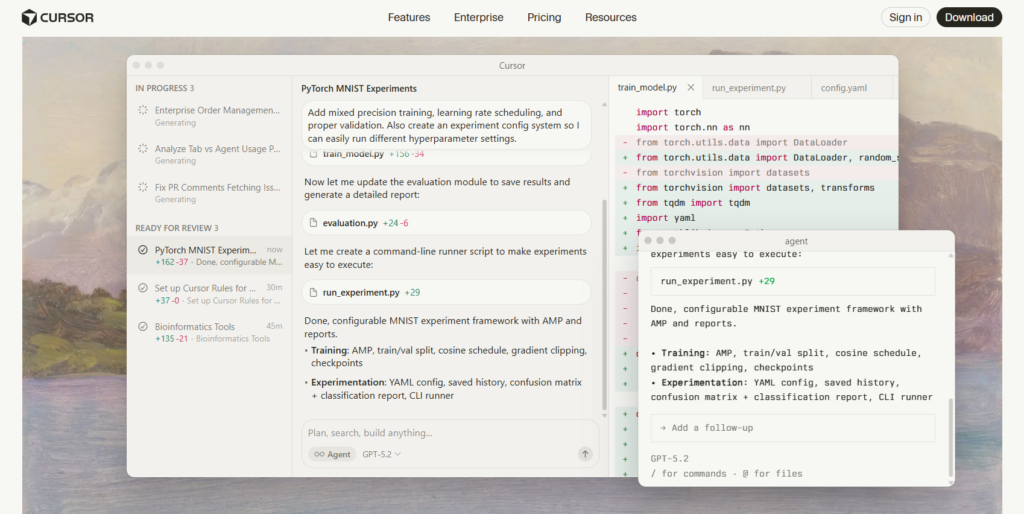
Cursor is an AI-enhanced code editor built on Visual Studio Code that runs locally on your machine. It embeds intelligent AI capabilities directly into your familiar coding environment, maintaining all your existing extensions, themes, and workflows while adding powerful context-aware assistance. Cursor focuses on precision, control, and deep codebase understanding for professional developers.
The fundamental distinction: Replit provides an all-in-one cloud environment optimized for speed and accessibility, while Cursor enhances local development with sophisticated AI integration for developers who demand granular control.
Read More: How to Fix Cursor AI Error Calling Tool
Replit vs Cursor Features: A Detailed Comparison
AI-Powered Code Generation
When evaluating replit vs cursor for ai coding, code generation capabilities reveal significant differences in approach and execution.
Replit Agent generates complete full-stack applications from natural language prompts. Describe your desired application—whether it’s a task management system, blog platform, or inventory tracker—and the Agent scaffolds the entire project with frontend, backend, database, and authentication components already connected. This end-to-end generation works exceptionally well for standard application patterns like CRUD interfaces, authentication systems, and basic business tools.
Cursor takes a more granular approach through its multiple AI features. Tab autocomplete predicts multi-line code blocks with context awareness, while Ctrl+K enables natural language code editing for specific modifications. The Agent mode coordinates substantial feature implementation across multiple files, but focuses on assisting your development rather than creating entire applications from scratch.
Independent testing reveals Replit generates applications approximately five times faster than Cursor for complete projects, with Replit finishing a complex app in roughly 11 minutes compared to Cursor’s 58 minutes. However, Cursor produces cleaner, more maintainable code that professional developers can more easily extend.
Context Awareness and Codebase Understanding
Understanding replit vs cursor performance requires examining how each platform comprehends your project.
Replit indexes your entire workspace with multi-repository support and maintains awareness of running applications. The AI understands your project structure and can reference multiple files when generating or modifying code. However, this context awareness operates primarily at the project level rather than diving deep into architectural patterns or complex dependencies.
Cursor implements custom retrieval models specifically designed for deep codebase understanding. It analyzes not just individual files but relationships between components, coding patterns, and project conventions. The platform supports fine-grained context control through .cursorignore and .cursorindexingignore files, plus on-demand context injection using @ symbols or Ctrl+Shift+L shortcuts. This sophisticated context system enables Cursor to make intelligent suggestions that respect your existing architecture and coding standards.
For small to medium projects, both platforms provide adequate context awareness. For large codebases with complex dependencies, Cursor’s deeper understanding becomes increasingly valuable.
Read More: JetBrains AI Assistant vs Cursor
Multi-File Refactoring and Editing
Complex development tasks often span multiple files, making multi-file capabilities crucial for replit vs cursor for developers.
Replit supports safe multi-file updates and refactoring with automatic rollback capabilities and visual diffs. The Agent can modify related files simultaneously when implementing features or fixing bugs. The platform includes checkpoint functionality, allowing developers to save project states and revert changes if needed. This approach works well for straightforward refactoring but occasionally modifies unrelated code or requires multiple iterations for complex changes.
Cursor orchestrates sophisticated multi-file edits through its Agent mode, which can implement substantial features autonomously while maintaining code consistency. The platform’s Composer feature specifically handles complex refactoring tasks that affect multiple components. With long-context model support through the MAX add-on, Cursor can consider significantly larger portions of your codebase when making changes, resulting in more coherent multi-file modifications that respect existing patterns.
Terminal Integration and Command Execution
Developer productivity depends heavily on terminal workflow integration, making this comparison essential for replit vs cursor for solo developers.
Replit provides a built-in Linux shell with pre-configured environments and AI-generated commands through the Agent. The platform abstracts much of the terminal complexity, automatically installing dependencies, configuring environments, and setting up databases without manual intervention. For developers who prefer streamlined workflows, this automation eliminates significant setup friction.
Cursor offers direct terminal integration with AI-written commands that can be optionally executed after confirmation. The Ctrl+K feature translates natural language into executable terminal commands, but maintains a confirmation gate preventing accidental execution. This approach gives developers control while still providing AI assistance for complex command sequences.
The choice here reflects your preference: Replit automates terminal tasks for speed, while Cursor provides AI-assisted control for developers who want to review each step.
Debugging and Error Recovery
Software development inevitably involves debugging, making error recovery capabilities crucial when comparing replit vs cursor pros and cons.
Replit offers contextual bug explanations, one-click fixes, and the ability to rollback code changes through its checkpoint system. The Assistant helps clarify logic issues and recover from errors quickly. When Replit Agent encounters errors during app generation, it can automatically attempt fixes, though this sometimes requires several iterations to reach a working solution.
Cursor detects and fixes lint errors in real-time as you type, providing immediate feedback on syntax issues and common mistakes. The code-aware chat responds to questions based on your current cursor position, enabling pinpoint debugging assistance. Agent mode can identify and resolve errors across multiple files with contextual awareness of your entire project structure.
Both platforms handle debugging competently, with Replit emphasizing automated recovery and Cursor prioritizing developer-controlled debugging with intelligent suggestions.
Replit vs Cursor Pricing
Understanding the cost structure is essential for teams evaluating what is better replit or cursor for their budget.
Replit Pricing
- Free Plan: Limited usage and public projects
- Core: $20/month with AI assistance and hosting
- Teams: $35/user/month with collaboration tools
Cursor Pricing
- Free Plan: Limited AI completions
- Pro: $20/month with unlimited completions
- Pro+: $60/user/month for teams
- Ultra: $200/month for significantly increased usage allowances
- Business: $40/user/month for teams
Value Comparison: Both platforms have similar entry prices, but Replit includes hosting, deployment, and collaboration in one plan while Cursor focuses on powerful local AI coding tools without hosting.
Replit vs Cursor for Different Audiences
1. Replit vs Cursor for Beginners
For newcomers, replit vs cursor for beginners clearly leans toward Replit. Its browser-based setup, tutorials, and natural language AI make it easier to start coding without configuration.
2. Replit vs Cursor for Developers
Professional coders often prefer replit vs cursor for developers heading in Cursor’s direction. Its deep AI context, VS Code compatibility, and multi-model support enhance productivity on complex code.
3. Replit vs Cursor for Web Development
If your goal is web app prototyping and deployment, replit vs cursor for web development favors Replit due to built-in deployment and ecosystem tools.
4. Replit vs Cursor for Python Projects
For Python, both work well, but Cursor’s deep context awareness can help with larger Python codebases, while Replit shines in rapid prototypes.
5. Replit vs Cursor for Startups and SMB
Startups and small teams benefit from the replit vs cursor for startups and smb scenario:
- Replit for collaboration, hosting, and fast iteration
- Cursor for technical depth and team precision
Read More: 9 Best AI for Python Coding
Performance, Scalability, and Production Readiness
Evaluating is cursor better than replit requires examining performance characteristics and production viability.
Replit Performance
Replit runs in cloud containers with resource limitations on free and lower-tier plans. Applications perform well for small to medium traffic loads, but resource constraints can impact performance for computationally intensive tasks. The platform handles scaling automatically for deployed applications, though this simplicity comes with less control over infrastructure optimization.
The browser-based editor occasionally experiences latency when working with very large files or projects with extensive dependencies. However, for typical application development, performance remains adequate.
Cursor Performance
Cursor performance depends on your local machine specifications. On modern development machines, Cursor handles large codebases smoothly with responsive AI suggestions and fast file navigation. The local execution means no network latency for file operations or code execution.
For very large repositories or resource-intensive operations, local control enables developers to optimize performance through hardware upgrades or specific configuration adjustments. However, this also means performance varies across team members based on their individual hardware.
Production Deployment
Replit deploys applications directly from the platform with managed infrastructure, automatic scaling, and included hosting. This integrated approach works well for small to medium applications but may lack advanced deployment features that large enterprises require.
Cursor requires separate deployment configuration but integrates with any deployment platform or custom infrastructure. Professional teams can use preferred CI/CD pipelines, container orchestration, and cloud providers without restrictions.
For production readiness, Cursor provides the flexibility enterprises need, while Replit offers faster paths from development to deployment for smaller applications.
Security and Compliance Considerations
Security requirements significantly impact the replit vs cursor decision for regulated industries.
Replit Security
Replit runs everything in its cloud infrastructure, meaning your code lives on Replit’s servers during development and potentially during deployment. For teams working with proprietary code or regulated data, this cloud-first approach may raise security concerns. The platform provides private repositories and authentication controls, but the fundamental cloud-based architecture means trusting Replit with code access.
Cursor Security
Cursor maintains code locally on your machine. While it sends requests to AI model APIs like OpenAI or Anthropic for assistance, your actual codebase remains on your local system unless you explicitly decide otherwise. This architecture provides significant advantages for compliance-focused teams or companies with strict code security requirements.
The platform supports air-gapped environments and on-premise deployments for organizations with maximum security needs, though this requires enterprise configuration.
Making Your Decision: Which Platform Is Right for You?
After examining features, pricing, and capabilities, the question remains: what is better replit or cursor for your specific needs?
Choose Replit If You:
- Need to start coding immediately without setup or installation
- Want natural language app generation from descriptions
- Prioritize speed and rapid prototyping over granular control
- Work on small to medium projects or educational coding
- Value integrated deployment and hosting
- Prefer browser-based accessibility across devices
- Need real-time collaboration features
- Are a beginner learning to code
- Want predictable bundled pricing for development and hosting
Choose Cursor If You:
- Already use VS Code and want to maintain that workflow
- Work on large, complex codebases requiring deep context
- Need precise control over technology choices and architecture
- Develop production applications with custom infrastructure
- Require local development with advanced debugging tools
- Want sophisticated multi-file refactoring capabilities
- Work in teams with established Git workflows
- Handle proprietary or regulated code requiring local storage
- Need extensive IDE customization and extension support
Consider Using Both If You:
- Want rapid prototyping in Replit and production development in Cursor
- Need cloud collaboration for some projects and local control for others
- Balance quick experiments with serious development work
- Work across different project types with varying requirements
Final Thoughts
When comparing Replit vs Cursor in 2026, your choice should reflect your coding style and project needs:
- Replit: Best all-in-one cloud AI coding assistant for rapid development and collaboration.
- Cursor: Best AI coding assistant for precise code editing and deep developer workflows.
If you want a quick start with minimal setup, go with Replit. But if you value flexibility, powerful AI integration, and control, Cursor might be the better option for your workflow.