
Introduction
Video creation through artificial intelligence is becoming increasingly efficient and automates many tasks. Today many platforms can not only allow users to create avatar-type videos but also utilize automation functionality.
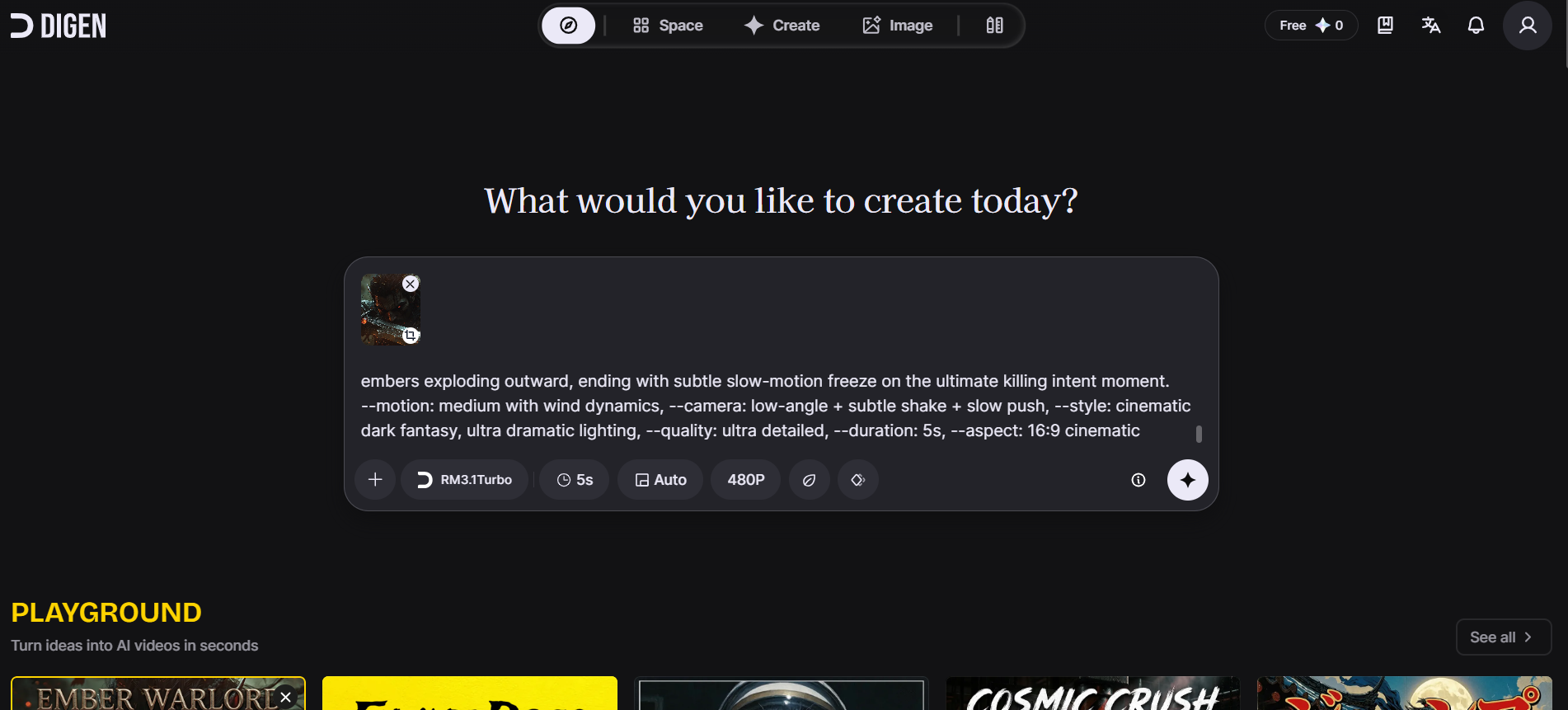
Digen AI is focused on one application turning an image (or pictures) into a video of that image talking with ah? lip-syncing. Their product is geared toward users who want to create a video quickly but do not want tough products or complicated processes.
Digen AI’s product is not without issues; there have been a fair number of complaints from users about reliability and support.
What is Digen AI?
With Digen AI’s AI technology, users can turn static image/video files into real-world Motion Videos with Live Avatars. Users upload the image, insert a voice-over file, and create a synchronized video of the image’s subject lip syncing to the voice-over. Most users of this will be using it for social media or short-form content. It can also be useful for basic visual communication.
Key Features of Digen AI
- Image-to-Video Conversion – Changes static photos into moving footages.
- Conversing Avatars – Create AI generated avatars that talk with expressions in sync.
- Lip Synchronisation – Match the movement of an actors mouth to incoming audio tracks.
- Voice Integration – Supports both uploaded audio and AI generated voices to create a video/audio feed.
- Fast Video Generation – Videos can be completed within minutes of being made and uploaded onto the servers.
- User Friendly Interface – Designed to be easy for first time users to use, without real setup involved.
Pros & Cons of Digen AI
| Pros | Cons |
| Easy to use | Subscription issues reported |
| Fast video generation | Weak customer support |
| Realistic lip-sync | Website stability concerns |
| No editing skills needed | Limited customization |
| Good for short content | Not ideal for professional use |
Bonus Read: Sakura AI
How to Use Digen AI
Step 1: Create an Account
Sign up on the platform.
Step 2: Upload an Image
Choose a face or character image.
Step 3: Add Audio
Upload voice or use AI-generated speech.
Step 4: Generate Video
Click generate and wait for processing.
Step 5: Download Output
Export the final video.
Who Can Use Digen AI
- Content creators
- Social media marketers
- Educators
- Freelancers
- Beginners exploring AI video tools
What Makes Digen AI Unique?
Digen AI focuses mainly on image-to-video and talking avatar generation. Instead of offering a full video editing suite, it simplifies the process into a few steps.
This makes it useful for users who want quick results without learning complex tools.
Pricing & Plans
Digen AI uses a subscription-based model.
Free Plan
- Limited access (may not always be available)
- Basic features
Paid Plans
- Full access to video generation
- Higher usage limits
- Advanced features
Important:
User feedback highlights issues related to billing, subscription cancellation, and unclear pricing. It is recommended to review terms before purchasing.
Is Digen AI Safe?
Digen AI is generally safe for basic usage, but there are some concerns based on user feedback:
- Reports of billing and subscription issues
- Limited customer support response
- Occasional website performance problems
Conclusion:
It can be used for testing or short-term use, but users should proceed carefully with paid plans.
Use Cases of Digen AI
1. Social Media Videos
Create talking avatar videos for reels and short content.
2. Marketing Content
Generate promotional videos quickly.
3. Educational Videos
Explain topics using visual avatars.
4. Personal Projects
Experiment with AI-generated video content.
Digen AI vs Other AI Video Tools
| Feature | Digen AI | Other Tools |
| Image-to-Video | Yes | Limited |
| Talking Avatars | Yes | Yes |
| Customization | Low | High |
| Stability | Moderate | Better |
| Ease of Use | Easy | Moderate |
Top Digen AI Alternatives
| Tool | Best For | Key Feature | Pricing |
| Synthesia | Business videos | AI avatars | Paid |
| HeyGen | Marketing videos | Avatar + voice | Paid |
| Pictory | Video editing | Text-to-video | Freemium |
| DeepBrain AI | AI avatars | Realistic humans | Paid |
| Runway ML | Creative videos | AI video editing | Freemium |
Common Issues & Fixes
Digen AI Not Working?
- Refresh the page
- Clear browser cache
- Try another browser
- Check internet connection
Subscription Issues
- Review billing terms before purchase
- Contact support early
- Avoid auto-renewal if unsure
Final Verdict
Rating: 6.5/10
- Features: 7/10
- Ease of Use: 8/10
- Pricing Transparency: 5/10
- Reliability: 6/10
Digen AI is useful for quick avatar-based video creation. It works well for beginners and short content. However, concerns around pricing, support, and stability make it less reliable for long-term or professional use.
Conclusion
Digen AI provides an easy way of producing talking videos from images without requiring any editing expertise which allows them to create video content very quickly. Unfortunately, they do not provide a total solution for creating videos; therefore users must take into account the limitations of this software including the support resources provided as well as pricing options before committing to Digen AI as a primary source for video.
For standard usage Digen AI provides an easy way to produce talking images, but if you’re looking for consistent or professional results then other alternatives should be considered.