Introduction
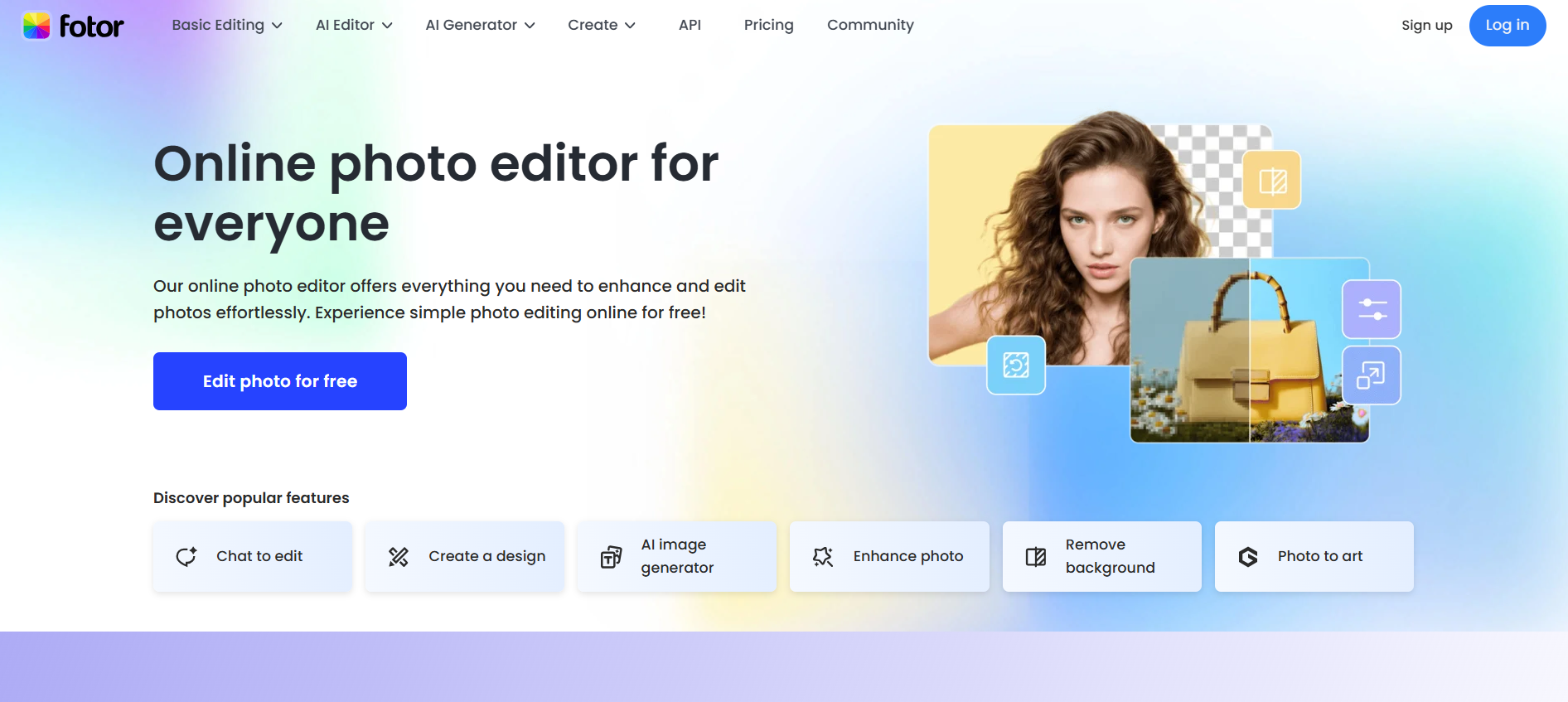
Fotor is a perfect website that provides many options for editing photos and designing graphics using both traditional editing tools and artificial intelligence. It has become popular among many users for editing purposes and even for creating different images.
The tool provides an easy interface, which is convenient for beginners as well as professionals. Whether it’s about editing photos or creating AI-generated artworks, Fotor can help you generate appealing images without installing complicated software packages.
What is Fotor?
Fotor is an AI-based software for photo editing and graphic designing that lets users perform their tasks by simply applying some tools without having to download and install any heavy software on their computer.
These include background removal, picture editing, collage making, and artificial intelligence picture production. The platform enables users to create social media posts, promotional content, and presentations through the use of ready-made templates.
Fotor uses the power of artificial intelligence to automate many processes of editing that make it quicker to generate high-quality images. Therefore, it can be used both by novice and professional users.
Key Features of Fotor
- AI Photo Editor: Uses AI technology to enhance photos by optimizing the lighting, coloring, and clarity for a professional look.
- Background Remover: Eliminates the background from photos immediately, enabling users to change it to their own background or a transparent one.
- AI Image Generator: Generates exclusive images based on textual instructions, which helps users create visual content without any design expertise.
- Photo Editing Tools: Offers features like skin smoothing, color correction, and filters to enhance the quality of the photo.
- Library of Design Templates: Provides pre-designed templates for use on social media, advertising, and marketing purposes that can be personalized.
- Collage Maker: Merges different images to form creative collages in various designs, frames, and themes.
- Batch Editing: Enables users to process multiple photos together instead of one-by-one.
Pros & Cons of Fotor
Pros
- User-friendly interface
- Extensive editing options
- Automation through AI makes work faster
- Accessible on the web and mobile platforms
- Cost-effective pricing
Cons
- Advanced features require a paid subscription.
- Limited control in comparison with professional applications
- The Internet is needed for the online version
- Some output of the AI may require further corrections
How to Use Fotor?
Step 1: Visit the Website
Access Fotor and enter the editor or design interface.
Step 2: Import the Picture
Load your photo or select a template to begin designing.
Step 3: Implement AI Tools or Editing Techniques
Utilize capabilities such as removing the background, applying filters, or enhancing with AI.
Step 4: Personalize Your Design
Modify text elements, hues, and layout to fit your requirements.
Step 5: Export Your Work or Share
Download your edited picture or distribute it through various platforms.
Who Can Use Fotor?
- Content creators
- Social media managers
- Graphic designers
- Small businesses
- Students
- Photographers
What Makes Fotor Unique?
Fotor is unique in that it allows photo editing, graphic design, and AI image generation under one roof. It means there’s no need for different applications, making everything easier for a person to create.
The application’s artificial intelligence capabilities enable a user to do difficult tasks in seconds. Therefore, it is suitable for individuals who are just starting and need fast results.
Pricing & Plan
Free Plan
- Basic editing tools
- Limited AI features
- Watermarked exports in some cases
Pro Plan – $8.99/month
- Advanced editing tools
- No watermark
- Access to premium templates and features
Pro+ Plan – $19.99/month
- Full access to all AI tools
- More storage and resources
- Priority processing
Final Thoughts
Fotor is an effective tool used for designing and editing photos. It is well-balanced when it comes to its ability to combine ease of use with efficiency in performance.
Although it may not be able to replace specialized design programs, it can do all that needs to be done by any professional designer in their daily activities. The inclusion of its AI feature makes it more efficient in content generation.